Controllers · Ableton
Native integration
with Ableton.
Two Ableton controllers with native integration in SYNZ Studio: SYNZ recognizes them the moment you plug them in and gives each its own module, with the device drawn just as it is and every control already mapped. What you play lights up on the drawing, and everything can be changed.
Recognized when you plug them in Each with its own module and drawing Everything can be remapped
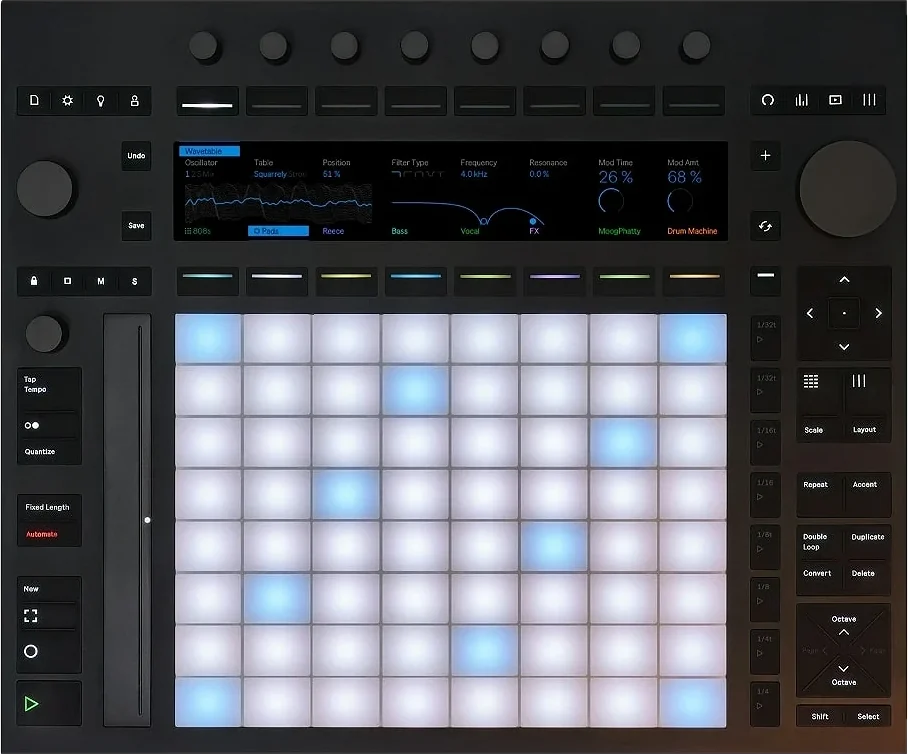
Ableton
Push 3
Push 3 runs the whole studio: play on its pads, mix with its knobs and switch views with its buttons, just like in Live. SYNZ picks it up on its Live port and leaves the User port free for Map.
- Velocity pads — in fourths, like in Live, with the studio scale lit up.
- Knobs — volume for 8 tracks, the master, tempo and swing.
- Device — the knobs go to the parameters of the selected instrument.
- Mix, Clip and Session — the mixer, the multitrack and the Live view; in Session, the pads launch the SYNZ Loop loops.
- Repeat, Accent, Scale and Layout — just like on Push, on SYNZ instruments.
- Transport and editing — Play, Record, Stop, metronome, tap tempo and undo.
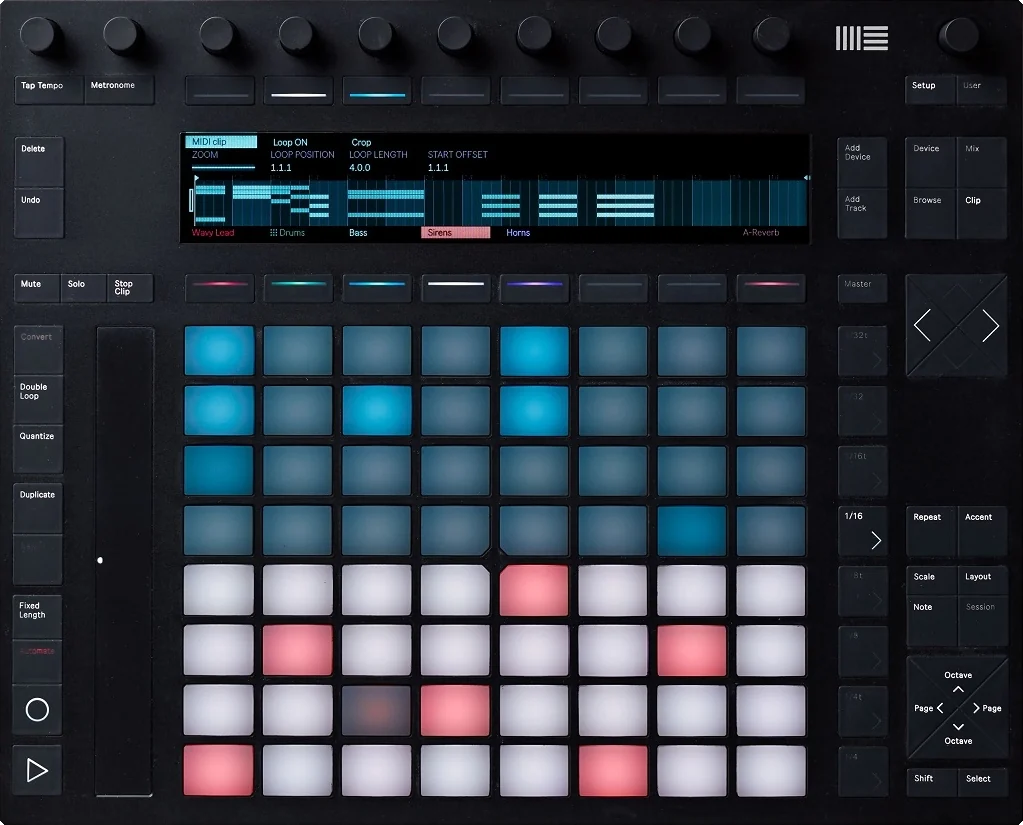
Ableton
Push 2
The same integration as Push 3, laid out for Push 2: pads, knobs, Device, Session with SYNZ Loop and the transport, every button where it belongs.
- Velocity pads — in fourths, with the studio scale lit up.
- Knobs — volume for 8 tracks, the master and tempo; with Device, the instrument parameters.
- Session — the pads launch the SYNZ Loop loops.
- Transport and editing — Play, Record, Stop, undo, duplicate and quantize.
Plug yours in and play.
Open SYNZ Studio in your browser, plug in your controller and it shows up in the library. Nothing to install.