Controllers · Synido
Native integration
with Synido.
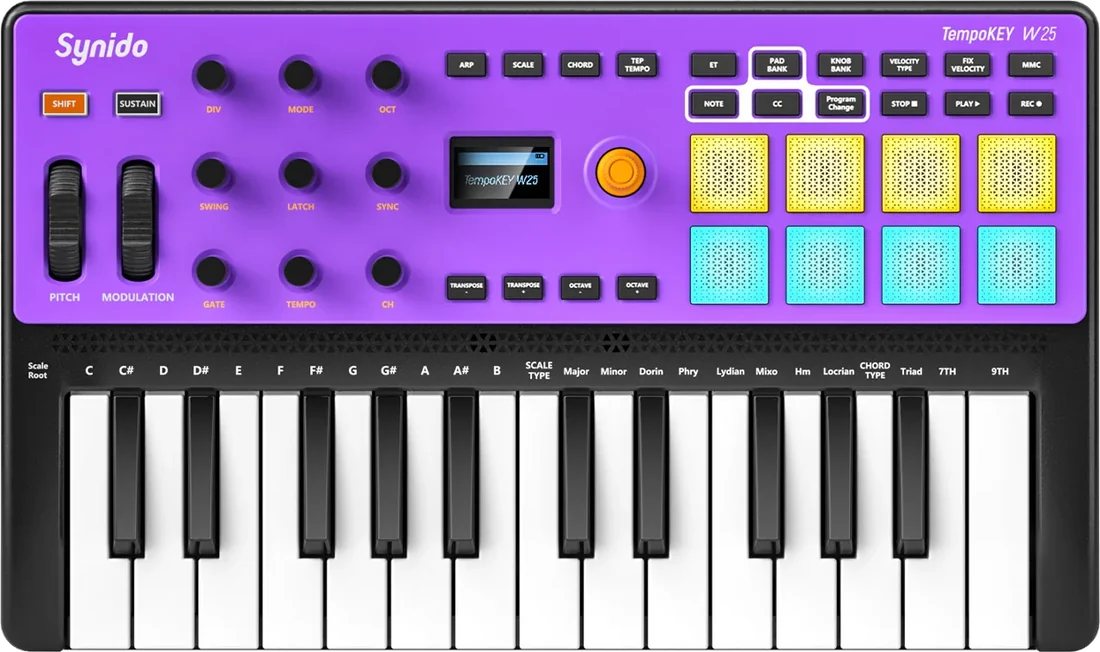
A Synido keyboard with native integration in SYNZ Studio: SYNZ recognizes it the moment you plug it in and gives it its own module, with the device drawn just as it is and every control already mapped. What you play lights up on the drawing, and everything can be changed.
Recognized when you plug it in With its own module and drawing Everything can be remapped
Synido
TempoKEY W25
A 25-key keyboard with 8 pads, 9 knobs and two wheels. In SYNZ it has its own module, My W25: the keyboard drawn just as it is, with what every control does, lighting up as you play.
- Keys — play the instrument in focus.
- Nine knobs — volume, balance, cutoff, reverb, glide, delay, the effects macro, release and attack.
- Modulation wheel — a big effects macro over the whole mix.
- Pads, in two banks — the Beat Seq kit and the Drums module.
- Stop, Play and Rec — the studio transport.
- Everything can be changed — any knob to any control in the studio, with presets and a profile you can download.
Plug yours in and play.
Open SYNZ Studio in your browser, plug in your controller and it shows up in the library. Nothing to install.